Table of Contents >> Show >> Hide
- What Makes an AI PC an AI PC?
- Lenovo’s Affordable AI PC Strategy Is Smarter Than It Looks
- What You Actually Get From a Lenovo AI PC
- The Trade-Offs Are Real, and They Matter
- Who Should Actually Buy One?
- Why Lenovo’s Affordable AI PCs Matter for the Next Few Years
- Real-World Experiences: What Using an Affordable Lenovo AI PC Actually Feels Like
- Conclusion
- SEO Tags
For a while, the phrase AI PC sounded like something invented by a marketing team locked in a room with too much espresso and not enough sunlight. It usually translated to one thing: expensive. Fancy chips, premium branding, and price tags that made regular humans quietly close the tab and pretend their five-year-old laptop was “still doing great.”
But Lenovo is changing that conversation. The company’s newer AI-focused machines, especially in its more accessible IdeaPad and compact desktop lines, suggest that affordable AI PCs are no longer a future promise. They are here, they are increasingly practical, and they are aimed at people who do not need a moon-landing workstation just to write emails, join Zoom calls, summarize notes, edit family photos, and survive modern multitasking with dignity intact.
That matters because the AI PC market is finally moving from showroom theater to everyday usefulness. Instead of asking, “Can this machine generate a dragon riding a skateboard?” more buyers are asking better questions: Can it last all day? Can it handle local AI tasks without becoming a lap toaster? Can it stay under a painful price ceiling? And perhaps most importantly, can it do all that without making me eat instant noodles for a month?
Lenovo’s answer appears to be yes, with some asterisks and a few reality checks. The affordable AI PC era is real, but it is not magic. It is a very practical mix of newer chips, better battery efficiency, local AI processing, and more aggressive pricing. In other words, it is less science fiction and more “your next sensible laptop might actually be interesting.”
What Makes an AI PC an AI PC?
Before diving into Lenovo’s lineup, it helps to define the term. In the Windows world, the biggest benchmark is the Copilot+ PC category. Microsoft says these systems need a neural processing unit, or NPU, that can deliver more than 40 trillion operations per second, commonly shortened to 40+ TOPS. That requirement matters because it separates ordinary laptops with some AI software from devices built to run more AI workloads directly on the machine.
That is the real shift. Instead of sending every task to the cloud, these PCs can handle more things on-device: live effects for video calls, image generation, summarization, transcription, accessibility features, and other workflow helpers. Qualcomm has pushed this move hard with Snapdragon X chips, Intel has responded with newer Core Ultra systems, and AMD has leaned into Ryzen AI chips. Lenovo, meanwhile, has done the sensible thing: it is putting those capabilities into machines that are easier for normal budgets to tolerate.
So when people talk about Lenovo AI PCs, they are not just talking about a chatbot stuck in the corner of Windows. They are talking about laptops and desktops designed around new silicon, newer workflows, and better efficiency. That distinction is important, because the actual value of an affordable AI PC is not hype. It is whether the machine makes everyday work feel faster, smoother, and less annoying.
Lenovo’s Affordable AI PC Strategy Is Smarter Than It Looks
Lenovo is not trying to make every AI PC a luxury object. That is the big story. Instead of forcing buyers into premium Yoga territory, the company has been moving AI hardware into more approachable categories. The headline product for that shift is the Lenovo IdeaPad Slim 3x, a machine that lands far closer to mainstream pricing than the first wave of premium AI laptops.
The IdeaPad Slim 3x Is the Budget Hero of the Story
The IdeaPad Slim 3x is the model that makes the “affordable AI PC” phrase feel legitimate. It is a Copilot+ PC built around Qualcomm’s Snapdragon X platform, and it entered the conversation with a launch-level price that sat far below the original elite-tier AI laptops. In the U.S., Lenovo listed it at $749.99, and later deal coverage pushed it much lower, sometimes under $500. That is not pocket change, but it is a major psychological shift from the earliest AI PC pricing that hovered around the “do I really need both kidneys?” range.
The package is practical. You get a 15.3-inch display, 16GB of memory in reviewed configurations, a 256GB or 512GB class storage setup depending on seller and config, and the kind of battery efficiency that Arm-based Windows machines have been promising for years. Reviewers have consistently praised the battery life, and that is one reason the Slim 3x matters. It does not just bring AI branding downmarket. It brings usable endurance downmarket too.
It also includes little details that make the machine feel less disposable than many budget laptops. Coverage around the launch highlighted a metal cover, durability claims, and even an extra SSD slot for future storage expansion. That last bit is especially refreshing. Budget laptops often treat upgradeability like a contagious disease. Lenovo, to its credit, left the door open for buyers who know they will outgrow cramped storage.
The IdeaCentre Mini x Brings AI to the Small Desktop Crowd
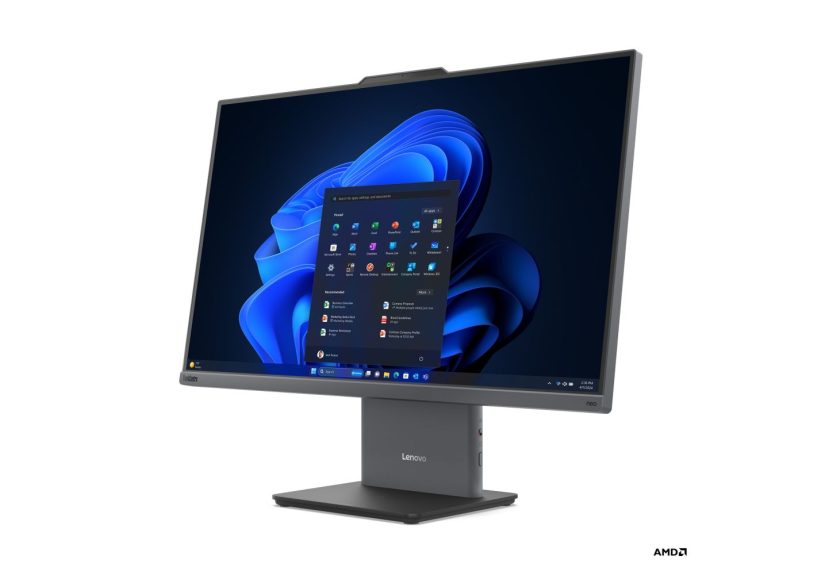
Lenovo’s affordable AI push is not limited to laptops. The IdeaCentre Mini x extends the idea to compact desktops, and that is quietly one of the more interesting developments in the category. This tiny 1-liter system was announced with Snapdragon X options, a 45 TOPS NPU, Copilot+ positioning, and a starting price around $659.99.
That matters for home offices, students, dorm setups, family desks, and anyone who wants an AI-capable machine without carrying a laptop everywhere. It also shows that AI PCs are no longer only ultrabooks and premium convertibles. Lenovo is bringing the concept into everyday desk setups where people care more about space, noise, and efficiency than whether the hinge folds into a tent.
The Broader Price Trend Favors Lenovo
Lenovo is also benefiting from a broader industry shift. Qualcomm’s push into lower-cost Snapdragon X chips helped bring Copilot+ PCs closer to the $600 range, and Lenovo has been one of the clearest examples of that change. Earlier devices like Lenovo’s cheaper Qualcomm-based ThinkBook 16 hinted that AI PC pricing was heading south. The IdeaPad Slim 3x simply turned that hint into a much more believable retail story.
What You Actually Get From a Lenovo AI PC
The good news is that Lenovo’s value-focused AI systems are not just ordinary low-cost laptops wearing a shiny sticker that says “AI” in suspiciously large font. There are some meaningful benefits here.
Better Battery Life
This is the most obvious win. The IdeaPad Slim 3x has been praised for excellent endurance, with one major review calling it one of the most affordable laptops to offer genuinely all-day battery life. For students, commuters, hybrid workers, and serial coffee-shop campers, that matters more than almost any flashy demo.
On-Device AI Features
Because these machines are built around NPUs that meet Copilot+ requirements, they can run more AI-driven experiences locally. That can include productivity aids, image features, accessibility tools, webcam enhancements, and future Windows features that increasingly assume the hardware is ready. Buying one now is partly about current utility and partly about staying ahead of software that will lean harder on local AI over the next few years.
Lenovo’s Own AI Layer
Lenovo is not leaving everything to Microsoft. On select Lenovo AI PCs, the company also layers in tools like Lenovo AI Now, which is designed to manage a personal knowledge base, pull in content from local files or OneDrive, and offer personalized assistance while keeping data more tightly tied to the device. Lenovo also pitches extras like Creator Zone and Learning Zone for image generation, note handling, quizzes, and productivity tuning. In plain English, Lenovo wants its AI PCs to feel like platforms, not just hardware shells.
A More Comfortable Entry Point for Casual Users
Not everyone needs a premium OLED panel, ultra-thin magnesium body, and a processor designed to impress benchmark nerds on a Tuesday night. A lot of people need a machine for school, documents, meetings, streaming, browsing, and occasional creative work. Lenovo’s affordable AI PCs are aimed exactly at that crowd, which is why they matter. They lower the cost of entry without removing the future-facing hardware altogether.
The Trade-Offs Are Real, and They Matter
Now for the part where the confetti cannon pauses. Affordable does not mean flawless. Lenovo’s budget AI PCs absolutely make compromises, and pretending otherwise would be the kind of nonsense that gives tech writing a bad name.
The biggest compromise on the IdeaPad Slim 3x is the display. Reviews have called it underwhelming in both brightness and color performance. If your day job involves color-critical creative work, you will notice. The speakers are also not exactly in “surprise hi-fi miracle” territory. And while Snapdragon-based systems have improved dramatically, app compatibility is still something to think about if you rely on older Windows software, niche x86 tools, or gaming libraries that do not love emulation.
This is why Lenovo’s affordable AI PCs make the most sense for mainstream productivity, not specialized professional workflows. They are excellent candidates for students, remote workers, writers, researchers, office users, and families. They are less convincing for gamers, high-end editors, or anyone whose software stack looks like a museum of legacy Windows oddities.
There is also a broader truth about the AI PC market: the hardware is ahead of many people’s actual habits. Plenty of buyers will own an AI PC before they fully understand how they want to use the AI part. That is not necessarily bad. It just means the best reason to buy one today is not because every feature will instantly change your life. It is because the machine is efficient, current, and more prepared for where Windows computing is going next.
Who Should Actually Buy One?
If you are shopping for a budget AI laptop, Lenovo’s newer machines make a strong case in a few specific scenarios.
Students get long battery life, enough power for coursework, and AI-assisted note and study tools that are finally starting to feel useful instead of gimmicky.
Remote workers get video-call enhancements, quiet efficiency, modern hardware, and enough performance for a browser full of tabs that all insist they are essential.
Families get a machine that can handle schoolwork, streaming, documents, shopping, photo management, and the general chaos of home computing without demanding flagship money.
Light creators get a decent jumping-off point for writing, basic design, image generation, and casual editing, though not a replacement for a higher-end creator laptop.
If that sounds like you, Lenovo’s affordable AI lineup is not just interesting. It is rational. And rational is underrated in tech, which too often behaves like everyone is choosing between a spaceship and a dragon.
Why Lenovo’s Affordable AI PCs Matter for the Next Few Years
The most important thing Lenovo is doing here is not just releasing one decent value laptop. It is helping normalize the idea that AI-ready hardware should not be reserved for premium tiers. Once AI-capable silicon lands in machines around the $600 to $800 range, the conversation changes. Buyers stop asking whether AI PCs are real and start asking which one fits their budget and workflow best.
That is a huge shift. It means the AI PC stops being a luxury niche and starts behaving like the next normal phase of PC buying. Lenovo is well positioned for that transition because it already knows how to sell practical computers at scale. The company’s challenge now is not pricing alone. It is making sure the software experience becomes useful enough to justify the label every single day.
So yes, affordable AI PCs are here from Lenovo. Not perfect ones. Not magical ones. But real ones, useful ones, and increasingly attainable ones. And honestly, that is a much better story than another overhyped machine that costs too much and mostly exists to impress people on keynote stages.
Real-World Experiences: What Using an Affordable Lenovo AI PC Actually Feels Like
Here is the part that matters most after all the specs, brand language, and chip acronyms: what does living with one of these machines actually feel like? In many ways, the experience is less dramatic than the marketing and more satisfying than the cynics expect.
A typical day with an affordable Lenovo AI PC starts with ordinary stuff. You open the lid, sign in fast, and get to work without hearing the fan audition for a jet engine documentary. That alone is a win. On a machine like the IdeaPad Slim 3x, the appeal is not that every task becomes a sci-fi event. It is that routine work feels smoother. Browsing, writing, email, streaming music, juggling docs, hopping onto a meeting, and running a few AI-assisted tools all happen without the laptop behaving like it needs a nap.
The battery story is where the charm really kicks in. Instead of doing the traditional “I have 100% battery and absolutely no trust,” you can actually leave the charger behind for stretches of the day. For students moving between classes, freelancers bouncing between a desk and a café, or office workers who forgot their charger at home again because life is chaos, that changes the mood of the device. It feels less needy. More independent. More like a machine that works for you instead of one that constantly asks for snacks.
The AI features themselves tend to be most useful when they are quiet and practical. Video call enhancements can clean up a background or improve presence during meetings. Note tools, summarization, and search helpers can trim down annoying little tasks. Lenovo’s own AI features, when available, make the device feel more personalized, especially if you are the kind of person who has files everywhere and needs help finding that one document you definitely saved in a place you would “totally remember later.” AI stops being a party trick and starts acting more like a digital intern who is not perfect but occasionally saves your afternoon.
That said, the compromises show up too. The display can feel merely fine rather than delightful, especially if you are used to brighter or more color-rich panels. Speakers may do the job, but they are not exactly concert material. And if you rely on niche legacy apps, you may run into the occasional reminder that not every piece of Windows software has fully embraced the modern era. Affordable AI PCs are good at everyday life, not invincible at everything.
Still, the overall experience is surprisingly grown-up. That is the best phrase for it. Lenovo’s affordable AI PCs do not feel like toys, and they do not feel like stripped-down experiments. They feel like practical computers built for the next chapter of mainstream computing. They are not trying to be luxury machines for tech obsessives. They are trying to be sensible daily drivers for people who have real work to do and a real budget to protect.
And that is why they land. You are not buying a miracle. You are buying a laptop or mini desktop that understands modern workloads better than older budget PCs did. It lasts longer, runs cooler, handles more local intelligence, and generally makes the workday a little less sticky. No fireworks. No robotic choir. Just a more capable computer at a price point that no longer feels absurd. In today’s PC market, that is not just progress. It is the kind of progress people can actually use.
Conclusion
Lenovo’s affordable AI PCs are a sign that the category is maturing. The company is proving that AI-ready computing no longer has to begin at premium prices, and that may be the most important development in the market so far. The Lenovo IdeaPad Slim 3x shows how a mainstream laptop can bring Copilot+ capability, excellent battery life, and future-ready hardware to people who would never have considered an early wave AI notebook. The IdeaCentre Mini x pushes the same idea into compact desktop territory.
There are caveats, of course. Some displays are average. Some Arm compatibility concerns still exist. Some AI features will feel more useful than others depending on your workflow. But the overall direction is clear. Lenovo is making AI PCs more accessible, more practical, and less financially dramatic. That is how a tech trend becomes a real category instead of a passing buzzword.
If the first generation of AI PCs felt like VIP seating, Lenovo’s newer value-focused machines feel like the doors finally opened for everyone else. And that is when a trend starts to matter.