Table of Contents >> Show >> Hide
- Why Knowing the Difference Matters
- Step 1: Figure Out Your Role Before You Click Anything
- Step 2: Use the Right Exit Option on Desktop or Mobile
- Step 3: If You Are the Host, Pass Control Before You Disappear
- Step 4: Leave Breakout Rooms the Right Way
- Step 5: Leave Politely Without Giving a TED Talk About Leaving
- Step 6: End the Meeting Cleanly When It Is Actually Over
- Common Mistakes to Avoid
- Final Thoughts
- Experiences and Real-World Situations: What Leaving a Zoom Meeting Actually Looks Like
- SEO Tags
Leaving a Zoom meeting should be simple. Click a button, vanish into the digital mist, and go make coffee. But in real life, it can feel weirdly dramatic. One wrong click and you end the meeting for everyone. One overly long goodbye and your exit speech becomes a bonus meeting nobody asked for. One host handoff mistake and your team stares at a frozen screen wondering whether this is modern art or a technical failure.
The good news is that leaving a Zoom meeting gracefully is not some mystical workplace talent reserved for veteran managers and people with perfect ring lights. It is a practical skill. Once you understand the difference between leaving and ending, the role of the host, and the best way to exit without looking rude or confused, the whole process becomes wonderfully unglamorous again.
This guide walks through six easy steps to leave or end a Zoom meeting the right way. It also covers common mistakes, polite exit lines, and real-life scenarios so you can stop treating the Leave button like it is wired to office politics. Whether you are a participant slipping out for another appointment or a host wrapping up a long call, these tips will help you leave cleanly, confidently, and without accidentally nuking the meeting from orbit.
Why Knowing the Difference Matters
Before the steps, here is the big distinction that causes most Zoom-related panic: participants leave meetings, but hosts can either leave or end them. If you are just attending, your job is easy. You click Leave Meeting and move on with your day. If you are hosting, things are more delicate. You may need to pass host controls to someone else if the conversation should continue, or choose End Meeting for All if the meeting is actually over.
That sounds tiny, but it changes everything. A participant exiting early is normal. A host exiting carelessly can shut down the call, interrupt a presentation, confuse breakout rooms, and make everyone suddenly aware that technology is held together by optimism and coffee.
Step 1: Figure Out Your Role Before You Click Anything
The easiest way to leave a Zoom meeting correctly is to know who you are in that meeting. Not spiritually. Functionally.
If you are a participant
You can leave whenever you need to. You are not responsible for the meeting staying alive. Your main job is to exit without interrupting the flow or disappearing before your action items are clear. In most cases, that means waiting for a natural pause, dropping a quick note in chat if needed, and clicking Leave Meeting.
If you are the host
You need to decide whether the meeting should continue after you go. If the answer is yes, assign a new host first. If the answer is no, end the meeting for everyone. This is where many people get tripped up, especially during team calls, training sessions, or client meetings where the host has to jump to another commitment.
A good rule of thumb is this: if discussion, Q&A, or collaboration still needs to happen, do not just vanish. Transfer responsibility intentionally. If the agenda is done, the questions are answered, and everyone is sitting in awkward silence pretending to check notes, go ahead and end it.
Step 2: Use the Right Exit Option on Desktop or Mobile
Once you know your role, the next step is using the correct button. This sounds obvious, but plenty of Zoom mishaps happen because people click quickly while juggling chat messages, calendar alerts, and a toddler demanding a banana in the background.
On desktop
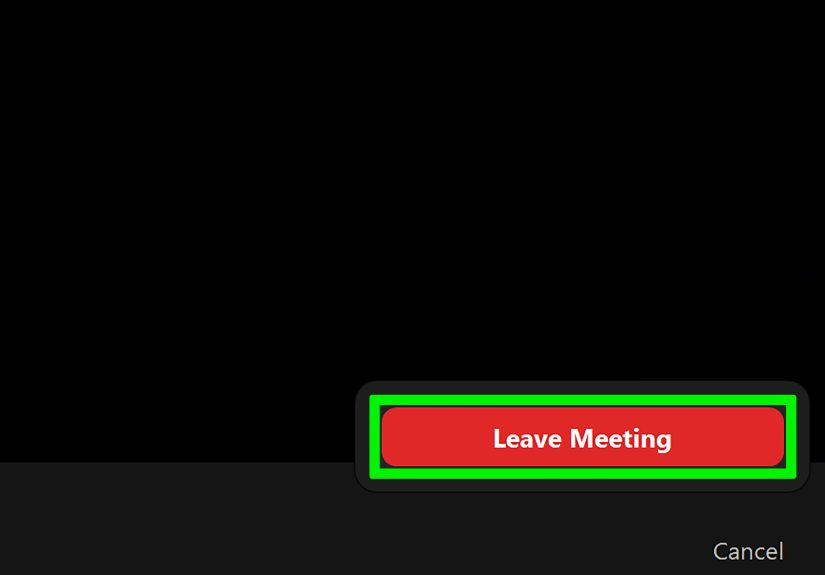
If you are on Windows or Mac, look for the End or Leave button in the Zoom controls. Participants usually see a straightforward leave option. Hosts typically see two choices: Leave Meeting or End Meeting for All. Read the prompt before clicking. This is not the moment for speed chess.
On mobile
On the Zoom mobile app, the Leave option is commonly placed at the top-right corner. That location is handy once you know it, but easy to miss when you are on a small screen and trying not to poke the wrong icon with the precision of a sleepy thumb.
Use a shortcut when you need a fast exit
If you are on Windows and want a faster route, Zoom includes a keyboard shortcut that opens the prompt to leave or end the meeting. That can be useful when your screen is cluttered or you want a quick, deliberate exit. Still, speed is only your friend if you know which prompt you are about to confirm.
The practical takeaway is simple: do not click on instinct. Pause for one second, confirm your role, and then choose the right option. That one second can save five minutes of “Wait, who ended the meeting?” messages afterward.
Step 3: If You Are the Host, Pass Control Before You Disappear
This is the step that separates a smooth professional exit from a digital trapdoor moment.
If you are the host and the meeting needs to continue, assign a new host before leaving. In Zoom, that usually means opening the Participants panel, selecting the person who should take over, and promoting them to host. Once that is done, you can leave while the meeting stays active.
Who should become the new host?
Pick someone who actually needs the controls. A project manager, lead presenter, trainer, or department head makes sense. Randomly handing host power to the quietest person in the meeting may create a very memorable leadership opportunity, but not necessarily a useful one.
What to say before you hand off
Keep it brief and specific:
- “I need to jump to another call, so I’m making Dana the host to finish Q&A.”
- “Chris will take it from here and wrap the last ten minutes.”
- “I’m transferring host controls so the training can continue.”
This matters because handoffs are smoother when everyone knows they are intentional. Silence makes people assume something broke. A one-sentence explanation makes you look organized instead of mysteriously evaporated.
Also remember that hosts manage more than the meeting clock. They may control waiting room access, participant permissions, and some recording or breakout room settings. If any of those matter to the last part of the meeting, choose the new host carefully.
Step 4: Leave Breakout Rooms the Right Way
Breakout rooms are where Zoom exits get sneaky. In a regular meeting, leaving is straightforward. In a breakout room, you may see options to Leave Breakout Room or leave the meeting entirely. Those are very different choices.
When you should leave the breakout room only
If you are done with your small-group discussion but still need to return to the main session, choose the option that sends you back to the main room. This is the right move during workshops, training sessions, classroom discussions, or team offsites where the host plans to bring everyone together again.
When you should leave the whole meeting
If your participation is finished and you do not need to return to the main session, then leaving the meeting entirely is fine. Just be aware of the difference, especially on desktop where Zoom may ask you to choose between the two.
This distinction is useful because breakout rooms often create mini-goodbyes. You do not need to stage one in every room. A quick “Thanks, everyone, I’m heading back” or “I have to drop after this section” is enough. No need to turn your departure into a farewell tour.
Step 5: Leave Politely Without Giving a TED Talk About Leaving
One of the funniest things about virtual meetings is how easy the mechanics are and how complicated the human part can feel. People are often less worried about which button to press than about whether leaving makes them seem rude, disengaged, or secretly furious.
Usually, it does not. What matters is timing, clarity, and tone.
Choose a natural pause
If possible, leave between agenda items, after you have finished your part, or during a transition. Avoid jumping out in the middle of someone’s explanation unless you truly have to. If you must leave during a busy moment, use the chat to avoid interrupting the speaker.
Use one clean sentence
Try one of these:
- “I need to drop for another meeting, but I’ve got what I need. Thank you.”
- “I have to step off, but I’ll follow up on the action items this afternoon.”
- “Thanks, everyone. I’m leaving early, but please send me the notes.”
- “I’m going to hop off here. Great discussion.”
Notice what these lines have in common: they are short, polite, and useful. They do not contain a dramatic weather report, a long apology, or a five-part explanation of your calendar. The longer you explain your exit, the more attention you pull toward it. Ironically, the least awkward way to leave is to be gently boring.
Follow up when it matters
If you are leaving a client meeting, leadership meeting, or project call before decisions are finalized, send a quick follow-up afterward. A short email or chat message can confirm what you heard, what you own, and what you still need. That extra step turns an early exit into professional communication rather than a disappearing act.
Step 6: End the Meeting Cleanly When It Is Actually Over
Ending a Zoom meeting well is a skill of its own. Many calls drift into that strange post-agenda fog where everyone is technically still present but emotionally halfway to lunch. The host has the power to rescue everyone from that fate.
Signs it is time to end the meeting
- The agenda is complete.
- Questions have dried up.
- People are repeating the same point in slightly new packaging.
- Next steps are clear.
- Several faces have adopted the classic “I am listening while opening another tab” expression.
When you reach that point, summarize the key decisions, confirm owners and deadlines, ask for last questions, and then end the meeting for all. Clean endings are efficient and respectful. They also help reduce meeting fatigue, which is a real issue in modern work. People do better when meetings are purposeful, not endless.
A simple closing script for hosts
Try this structure:
“Before we wrap, here are the next steps: Maya will send the deck, Aaron will update the timeline, and I’ll share notes by 3 p.m. If there are no last questions, we’ll end here. Thanks, everyone.”
That gives the meeting a proper landing instead of a weird crash into silence.
Common Mistakes to Avoid
- Leaving without checking your role: fine for participants, risky for hosts.
- Ending instead of leaving: the digital equivalent of turning off the lights while people are still eating.
- Forgetting the handoff: if the meeting must continue, assign a host first.
- Using the wrong breakout room option: leave the room if you still need the main session; leave the meeting only if you are truly done.
- Overexplaining your exit: one sentence is professional; five paragraphs are performance art.
- Skipping follow-up: if your early departure affects decisions or deliverables, send a quick recap afterward.
Final Thoughts
There is nothing inherently rude about leaving a Zoom meeting. What feels rude is leaving carelessly, ending the call by mistake, or making the whole room pause for your monologue about why you are late for another meeting that should probably have been an email anyway.
The best approach is simple: know your role, choose the right Zoom option, pass host duties when necessary, leave breakout rooms intentionally, keep your goodbye short, and end meetings decisively when the work is done. That is the sweet spot between polite and efficient.
In other words, you do not need a grand exit. You just need the correct button, a little awareness, and the confidence to leave like a functioning adult instead of a startled raccoon trapped in a video call.
Experiences and Real-World Situations: What Leaving a Zoom Meeting Actually Looks Like
In real work settings, leaving a Zoom meeting rarely happens in a perfect, textbook moment. It usually happens when calendars collide, a client call runs long, a child comes home early, your next meeting starts in ninety seconds, or the discussion moves into a section that no longer needs you. That is why experience matters just as much as instructions.
One common situation is the cross-functional team meeting. A designer joins for the first fifteen minutes to review mockups, answers questions, and then needs to leave while engineering discusses timelines. In that case, the best exit is quick and clear: “I’m hopping off now, but I’ll update the files after this.” It respects everyone’s time. It also signals that leaving early is not an act of disengagement. It is simply good meeting hygiene.
Another frequent example is the manager who hosts a weekly staff meeting but has to step into a leadership review halfway through. The smooth version is not dramatic. The manager announces the handoff, promotes the team lead to host, confirms the remaining agenda, and leaves. The awkward version is when the manager says, “I need to go,” clicks the wrong button, and instantly ejects the entire room like a villain in a low-budget sci-fi film. Once that happens, everyone remembers the exit more than the meeting.
Training sessions are their own special category. People often join only for the segment relevant to their role. There is nothing wrong with that as long as expectations are clear. A trainer who says at the beginning, “Feel free to leave after your section if the rest does not apply,” creates permission and reduces weirdness. Suddenly, departures stop feeling rude and start feeling normal. That small bit of structure changes the whole tone.
Client meetings add another layer because professionalism matters even more. If you need to leave early, the safest move is to say so plainly, contribute what you can before you go, and follow up afterward. Clients do not usually mind early departures nearly as much as they mind confusion. A short note saying, “I had to jump to another appointment, but I’ve reviewed the next steps and will send the revised draft by tomorrow,” preserves trust.
Then there are the human moments: the internet drops, the dog barks, the fire alarm chirps, the delivery driver rings the bell with the urgency of a game show buzzer. Virtual meetings happen in real homes and real offices, not in a laboratory of perfect professionalism. Most people are more understanding than we imagine. A calm, direct exit works better than frantic apologies every time.
Over time, the best meeting habits become predictable. Strong hosts close on time. Strong participants leave when their part is done. Teams that work well together stop treating every departure like a social betrayal. They build norms, communicate clearly, and make room for the fact that modern work is full of overlapping demands. That is the real secret to leaving a Zoom meeting gracefully: not perfection, just clarity, courtesy, and a tiny bit of button awareness.