Table of Contents >> Show >> Hide
- Why Connecting an iPad to Car Speakers Is Still Worth It
- Method 1: Connect Your iPad to Car Speakers with Bluetooth
- Method 2: Use an AUX Cable for a Simple Wired Connection
- Method 3: Connect Through USB
- Method 4: Use an FM Transmitter in Older Cars
- Which Method Sounds Best?
- Troubleshooting Common iPad-to-Car Audio Problems
- Tips for a Better Listening Experience
- Final Thoughts
- Real-World Experiences Using an iPad in the Car
- SEO Tags
If your road trip playlist is trapped inside your iPad while your car speakers sit there doing absolutely nothing useful, good news: this is a fixable problem. Whether you drive a brand-new vehicle with built-in Bluetooth or an older car that still thinks CDs are cutting-edge technology, there are several easy ways to connect your iPad to your car speakers and get your music, podcasts, audiobooks, or navigation audio playing out loud.
The trick is matching your iPad to the audio options your car actually has. Some vehicles make this painfully simple. Others require one adapter, one cable, and a little patience. In this guide, we’ll walk through four practical methods that work in the real world: Bluetooth, AUX cable, USB connection, and FM transmitter. We’ll also cover which method usually sounds best, what to do when your iPad refuses to cooperate, and how to avoid turning your dashboard into a spaghetti bowl of cords.
So let’s save your car ride from the acoustic disappointment of tiny tablet speakers and get that sound where it belongs: through your car stereo.
Why Connecting an iPad to Car Speakers Is Still Worth It
Sure, phones get most of the glory in the car, but an iPad can still be a great travel companion. Maybe you use it for Apple Music, Spotify, YouTube Music, downloaded podcasts, Zoom calls while parked, language lessons, or entertainment for passengers. Maybe your phone battery is hanging on by a thread and your iPad is the hero of the day. Whatever the reason, connecting an iPad to your car audio system gives you louder, clearer sound and a better experience than relying on the iPad’s built-in speakers.
The best method depends on your car’s setup. Newer vehicles often support Bluetooth audio streaming and USB media playback. Older vehicles may only have an AUX input, a 12V outlet, or plain old FM radio. That is not the end of the world. It just means your connection method needs to match your dashboard’s personality.
Method 1: Connect Your iPad to Car Speakers with Bluetooth
Best for convenience and cable-free listening
If your car has built-in Bluetooth audio, this is usually the easiest way to connect your iPad to your car speakers. No cable draped over the center console. No adapter dangling like dashboard jewelry. Just pairing, tapping, and playing.
How to do it
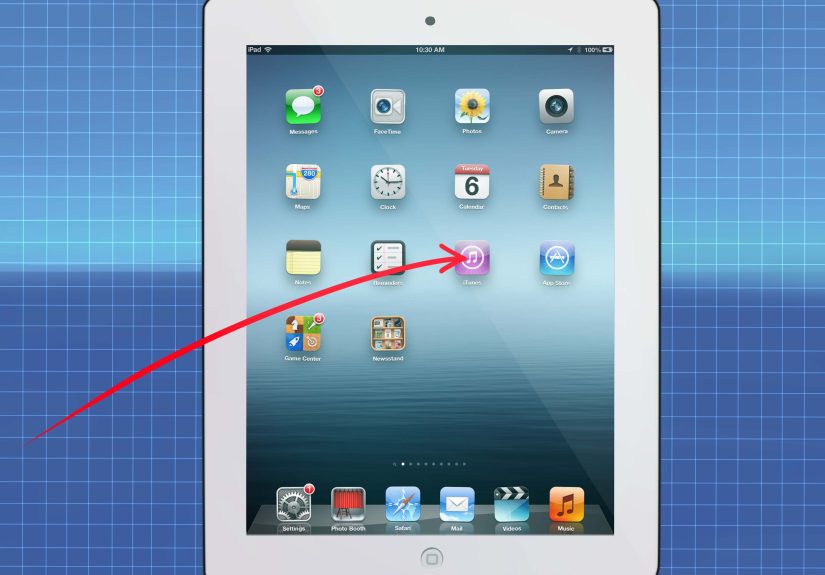
First, put your car stereo in Bluetooth pairing mode. Every vehicle does this a little differently, so you may need to check the stereo menu or your owner’s manual. On your iPad, open Settings > Bluetooth and make sure Bluetooth is turned on. Wait for your car’s system to appear in the list of available devices, then tap it to pair.
You may see a pairing code on the car display or on the iPad. Confirm that the numbers match, approve the connection, and you’re done. Once paired, your iPad should route audio through the car speakers whenever Bluetooth is selected as the audio source.
Why Bluetooth works well
Bluetooth is ideal for everyday use because it is simple and wireless. It is especially handy for streaming music apps, podcasts, and spoken audio content. It also keeps your setup clean, which matters when your cupholders are already doing enough emotional labor.
Possible downsides
Bluetooth audio quality is usually good, but it can vary depending on your car stereo and the signal environment. Some systems reconnect automatically. Others act like they’ve never met your iPad before. If the audio drops out, sounds compressed, or refuses to connect, turn Bluetooth off and back on, restart the iPad, or remove the car from the Bluetooth device list and pair again.
Method 2: Use an AUX Cable for a Simple Wired Connection
Best for strong, steady sound quality
If your car has a 3.5mm AUX input, a wired AUX setup is one of the easiest and most reliable ways to connect your iPad to your car speakers. It is also one of the better choices for consistent audio quality because you are not depending on wireless signal strength.
There is one important detail: many newer iPads do not have a built-in headphone jack. If your iPad has a USB-C port, you will usually need a USB-C to 3.5mm headphone jack adapter. If you have an older Lightning-based iPad, you may need a Lightning to 3.5mm adapter. Once you have the correct adapter, the rest is easy.
How to do it
Plug the adapter into your iPad, connect a 3.5mm AUX cable to the adapter, and connect the other end to your car’s AUX input. Then switch your car stereo to the AUX source and press play on your iPad.
Why AUX is a favorite
This method is simple, affordable, and dependable. There is no pairing process, no weird menu diving, and no radio interference. If you care most about audio stability and decent sound quality, AUX is hard to beat.
Possible downsides
The obvious downside is the cable. You are physically tethered, which is not glamorous. Also, if your adapter is low quality or loose, the sound may crackle or cut out. Using a proper Apple-compatible adapter and a good cable usually solves that problem.
Method 3: Connect Through USB
Best for charging while playing audio
Some cars let you connect an iPad through a USB port and play audio through the car speakers at the same time. This can be the most convenient wired option because it may also charge the iPad while it is connected. That means fewer battery worries on longer drives and one less excuse for your tablet to quit mid-podcast.
That said, USB is a little trickier than AUX because not every car USB port handles audio playback the same way. Some ports are designed for media. Others are glorified charging stations with a superiority complex. So results vary depending on the vehicle and stereo system.
How to do it
Connect your iPad to the car’s USB port using the correct cable. If your iPad has USB-C, use a compatible USB-C cable. If your car has older USB-A ports, you may need a USB-A to USB-C cable. Then switch the car stereo to the USB or media input.
If your vehicle supports audio over USB, the stereo may recognize your iPad as a media source. You may be able to play music directly through the car speakers and sometimes control playback from the dashboard. In some cases, the car may only charge the iPad and not play audio. If that happens, the USB port is likely power-only and you will need to use Bluetooth or AUX instead.
Why USB is useful
USB is great when it works because it combines charging and audio in one connection. It is especially helpful on long drives, family trips, or any situation where your battery percentage starts looking dramatic.
Possible downsides
Compatibility can be inconsistent. Some older car systems do a better job recognizing music files than streaming apps. Others may not support iPad audio at all through USB. So if USB is being stubborn, it is not necessarily your fault. Sometimes the stereo simply was not built for that job.
Method 4: Use an FM Transmitter in Older Cars
Best for cars without Bluetooth, AUX, or USB audio
If your car is older and your stereo options are limited, an FM transmitter can be your backup plan. This device broadcasts your iPad’s audio to an unused FM radio frequency, and your car stereo picks it up like a local radio station. It sounds slightly ridiculous when you first hear it, but it works.
Many FM transmitters plug into the car’s 12V outlet and connect to your iPad via Bluetooth or cable. Once paired, the transmitter sends the audio to a selected FM frequency, and you tune your radio to that same station.
How to do it
Plug the FM transmitter into power, pair it to your iPad if it uses Bluetooth, or connect it with the required cable. Then choose a mostly empty FM frequency on the transmitter, tune your car radio to the same frequency, and start playing audio from the iPad.
Why it helps
This is one of the easiest ways to modernize an older car without replacing the stereo. FM transmitters are affordable, simple to install, and widely available.
Possible downsides
FM transmitters are usually more of a “good enough” solution than an audiophile dream. Sound quality can be affected by local radio interference, especially in crowded metro areas. If one frequency sounds noisy, try another empty station. In short, FM is the scrappy underdog of in-car audio: not perfect, but determined.
Which Method Sounds Best?
If audio quality is your top priority, a wired connection usually wins. In most cases, AUX gives you strong, stable sound with very little fuss. USB can also be excellent when the car stereo fully supports audio playback. Bluetooth is extremely convenient and usually sounds plenty good for everyday listening. FM transmitters come in last for sound quality, but they are still very useful when your vehicle does not offer better options.
So the ranking for many drivers looks like this:
AUX or USB for the best wired experience, Bluetooth for convenience, and FM transmitter as the smart fallback for older cars.
Troubleshooting Common iPad-to-Car Audio Problems
No sound through the speakers
Make sure the correct source is selected on the stereo. If you are using AUX, choose AUX. If you are using Bluetooth, make sure the car is set to Bluetooth audio and not just Bluetooth calling. Yes, some systems enjoy being extremely specific.
Bluetooth will not pair
Turn Bluetooth off and back on, restart the iPad, and delete the old pairing if needed. Also make sure the car stereo is in pairing mode and not already connected to another device.
USB charges the iPad but won’t play music
This usually means the port is power-only or the stereo does not support iPad audio through USB. Use Bluetooth or AUX instead.
FM transmitter has static
Pick a different FM frequency with less interference. The more crowded your radio market, the more trial and error you may need.
Audio sounds low or distorted
Check the volume on both the iPad and the car stereo. On wired setups, inspect the adapter and cable. On Bluetooth, move the iPad closer and reduce interference from other connected devices.
Tips for a Better Listening Experience
Use a secure mount if you need to view navigation or media controls while parked or at a stop. Keep your iPad charged, especially when streaming. Download music or podcasts ahead of time if you will be driving through areas with weak service. And if you are using an adapter, spend a few extra dollars on a reliable one. Cheap adapters have a special talent for failing at the exact moment the chorus hits.
Final Thoughts
If you are wondering how to connect your iPad to your car speakers, the answer depends on what your car stereo supports, but the four easiest methods are clear: Bluetooth, AUX, USB, and FM transmitter. Bluetooth is the easiest wireless option. AUX is one of the most reliable wired choices. USB is convenient when your car supports media playback and charging. FM transmitters rescue older vehicles that lack modern inputs.
You do not need an elaborate setup, a new dashboard, or a degree in automotive engineering. In most cases, one cable, one adapter, or one Bluetooth pairing session is all it takes. Once you figure out which method fits your car, your iPad can become a road-trip DJ, podcast hub, audiobook machine, or navigation sidekick with surprisingly little drama.
And that is really the goal: less silence, fewer headaches, and far more songs played at unreasonable enthusiasm levels.
Real-World Experiences Using an iPad in the Car
In real life, connecting an iPad to car speakers is often less about technical theory and more about what happens when you are already in the driver’s seat, late for something, and the kids in the back want music immediately. That is where these four methods really prove themselves.
For many people, Bluetooth ends up becoming the daily favorite. Once the pairing is done the first time, it feels easy and modern. You hop in, start the car, open your music app, and the sound comes through the speakers without much effort. That convenience matters. On a short commute, nobody wants to fish around for a cable under the seat like they are searching for buried treasure. Bluetooth feels smooth, especially for podcasts, streaming playlists, and casual listening.
But real-world use also reveals Bluetooth’s quirks. Sometimes the iPad connects instantly. Other times it decides to reconnect to headphones you used two days ago for exactly nine minutes. Sometimes the car stereo grabs the connection but not the audio stream. These little annoyances are common, which is why some drivers still prefer a wired option when they want predictability.
AUX is often the hero for people who value simplicity. There is something satisfying about plugging in one cable and knowing it will probably work. No pairing screens. No software mood swings. No wondering whether the car remembered the device. If your vehicle has an AUX port, this method often feels refreshingly low-drama. It is also popular for road trips because passengers can swap control more easily. Hand the iPad to the back seat, keep the cable connected, and let the audiobook marathon begin.
USB, when supported properly, tends to feel the most practical. Drivers love the idea of charging the iPad while audio plays through the car speakers. That setup is especially helpful on long drives where navigation, music streaming, and screen use can drain the battery fast. The catch is compatibility. One car’s USB port behaves like a helpful assistant. Another acts like a phone charger with commitment issues. So the experience varies a lot from vehicle to vehicle.
FM transmitters usually enter the story when someone owns an older car and is not interested in replacing the stereo just to play a playlist. In that situation, an FM transmitter can feel almost magical. Suddenly, a car from another era can play audio from a modern iPad with very little installation. Of course, “magical” sometimes turns into “why is there static during my favorite song?” That is the trade-off. Still, for many older vehicles, FM is the easiest budget-friendly solution.
Another common experience is realizing that the best method depends on the trip. A quick errand may call for Bluetooth because it is fast. A long drive may favor AUX or USB because the connection is stable and battery-friendly. An older family car might rely entirely on an FM transmitter, while a newer SUV handles Bluetooth with no complaints. In other words, the best way to connect your iPad to your car speakers is not always the same for every driver or every vehicle.
That is why flexibility matters. Once you understand these four options, you can adapt instead of getting stuck. And honestly, that is half the battle with car tech. The other half is not dropping your adapter into the mysterious gap next to the seat, where all missing objects apparently go to begin a new life.