Table of Contents >> Show >> Hide
- What Makes the Artisan Hien Different?
- What You Will Need
- How to Properly Clean an Artisan Hien: 11 Steps
- Step 1: Remove Your Mouse and Clear the Area
- Step 2: Shake Off Loose Dust and Debris
- Step 3: Do a Quick Surface Check
- Step 4: Mix Lukewarm Water With a Small Amount of Mild Soap
- Step 5: Spot-Test First if You Are Nervous
- Step 6: Wet the Surface Gently
- Step 7: Clean the Tracking Area With Your Fingertips or a Soft Cloth
- Step 8: Pay Attention to the Edges and Base
- Step 9: Rinse Thoroughly Until No Soap Remains
- Step 10: Press Out Water With a Towel
- Step 11: Air-Dry Flat for at Least 24 Hours
- Mistakes to Avoid When Cleaning an Artisan Hien
- How Often Should You Clean an Artisan Hien?
- Does Cleaning Restore the Original Glide?
- Quick FAQ
- Experiences People Commonly Have When Cleaning an Artisan Hien
- Final Thoughts
If you own an Artisan Hien, you already know this is not the kind of mousepad you casually abuse with pizza dust, mystery hand oil, and a “meh, I’ll clean it later” attitude. The Hien has a reputation for its textured glide, premium build, and wonderfully specific feel. In other words, it is not just a square of cloth. It is the high-maintenance friend in your setup who looks amazing, performs beautifully, and absolutely notices when you stop trying.
That is exactly why cleaning an Artisan Hien the right way matters. A dirty mousepad can collect sweat, skin oils, dust, crumbs, and tiny bits of grime that mess with consistency. Over time, that buildup can make sections feel muddy, uneven, or slower than they should. And when your mousepad is famous for its surface feel, even subtle grime can become surprisingly obvious.
The good news? You do not need a chemistry degree, a lab coat, or a special samurai-grade cleaning potion. You just need patience, a gentle touch, and a method that respects the Hien’s textured cloth surface. Below, you will learn exactly how to clean an Artisan Hien in 11 practical steps, what mistakes to avoid, how often to clean it, and what real-world results you can expect once it dries.
What Makes the Artisan Hien Different?
The Artisan Hien is not a generic office mousepad. It is a premium gaming mouse pad known for a rougher, more textured cloth surface that balances speed with stopping control. That texture is part of the appeal. It gives the pad its personality, its performance, and its cult following among gamers who care way too much about glide consistency. Honestly, that last part is not a criticism. It is a compliment.
Because the surface is intentionally textured, cleaning an Artisan Hien is a little different from cleaning a random cheap pad you found in a drawer. You want to remove dirt and oil without flattening the texture, damaging the weave, or leaving behind soap residue. Translation: clean it like you respect it.
What You Will Need
- A sink, basin, or bathtub
- Lukewarm water
- A tiny amount of mild dish soap or mild detergent
- A clean microfiber cloth
- A very soft sponge or your fingertips
- An optional soft-bristled brush for stubborn debris
- A dry towel
- A flat drying space with good airflow
Keep the supplies simple. This is not the moment to experiment with bleach, all-purpose degreaser, rough scrub pads, or that ultra-powerful cleaner that claims it can remove engine grease, regret, and your will to live. Mild is the move.
How to Properly Clean an Artisan Hien: 11 Steps
Step 1: Remove Your Mouse and Clear the Area
Start by unplugging or moving your mouse, keyboard, and anything else sitting near the pad. You want a clean workspace and zero chance of water ending up where electronics live. This also gives you a good chance to inspect the mousepad and see where the dirtiest areas are, which are usually the center tracking zone and any spot where your wrist rests.
Step 2: Shake Off Loose Dust and Debris
Before water touches the pad, get rid of the easy stuff. Gently shake the Hien outside or over a trash can. If you see hair, dust, crumbs, or gritty particles clinging to the surface, lightly brush them away with a soft cloth or very soft brush. This matters because rubbing loose grit across a premium textured surface is basically turning dirt into sandpaper.
Step 3: Do a Quick Surface Check
Look closely at the pad before deep cleaning. Are you dealing with dust, oily slow spots, drink splashes, or a stubborn stain near the edge? A surface check helps you decide how gentle or thorough you need to be. If the Hien just feels a little grimy, a light clean may be enough. If it looks like it survived a snack-based tragedy, go ahead with a fuller wash.
Step 4: Mix Lukewarm Water With a Small Amount of Mild Soap
Fill a sink or basin with lukewarm water, then add just a tiny amount of mild dish soap or mild detergent. Emphasis on tiny. More soap does not equal more clean. It usually just means more rinsing, more residue risk, and more time staring at a damp mousepad while wondering why you made your life complicated.
The water should feel comfortably warm, not hot. High heat is unnecessary and can be rougher on cloth, stitching, adhesive layers, and foam backing.
Step 5: Spot-Test First if You Are Nervous
If your Artisan Hien is new, expensive, beloved, or all three, test a small corner first. Dampen a microfiber cloth with the soapy water and gently wipe an inconspicuous area. Wait a minute, then check for any weird reaction. Most likely, nothing dramatic will happen, which is exactly what you want.
Step 6: Wet the Surface Gently
Now you can begin the actual cleaning. For a conservative clean, use a microfiber cloth or soft sponge dipped in the soapy water and wrung out so it is damp, not dripping. Wipe the surface in small circular motions or smooth passes. If the pad is very dirty, you can let the surface get more evenly wet or briefly soak the pad in the basin, but there is no need to treat it like laundry day.
With an Artisan Hien, gentler is smarter. The goal is to loosen dirt and oil, not to bully the surface into submission.
Step 7: Clean the Tracking Area With Your Fingertips or a Soft Cloth
The center of the pad usually collects the most buildup. Use your fingertips or a soft cloth to massage the surface gently. Focus on the areas that feel slower, darker, or slicker than the rest. Do not scrub aggressively. The Hien’s texture is one of its defining features, and overdoing it can wear the surface faster than normal use would.
If you hit a stubborn spot, keep the pressure light and repeat the motion several times instead of attacking it like it insulted your aim.
Step 8: Pay Attention to the Edges and Base
Once the top surface looks cleaner, wipe around the edges and give the underside a light clean too. The base can collect dust and oils from the desk, and that grime can eventually migrate back into your setup. A quick wipe is enough. You are not polishing museum glass here.
Also, avoid folding, twisting, or wringing the pad while wet. A premium mousepad is not a beach towel.
Step 9: Rinse Thoroughly Until No Soap Remains
This is the step people rush, and then regret later. Rinse the Hien with clean lukewarm water until there is no soap residue left. If you leave soap behind, the surface can feel off once dry. It may even attract grime faster, which would be a truly annoying plot twist.
Rinse patiently and press water through the cloth surface gently. You want the water to run clean and the pad to feel free of any slick, soapy film.
Step 10: Press Out Water With a Towel
Lay the mousepad flat on a dry towel and press another towel on top to absorb moisture. Press. Do not wring. Do not twist. Do not roll it into a sad little tube and squeeze it like you are trying to win a towel-wrestling contest. Pressing helps remove excess water while keeping the structure intact.
If the towel becomes soaked, switch to a dry one and repeat. The more water you remove here, the easier the final drying step becomes.
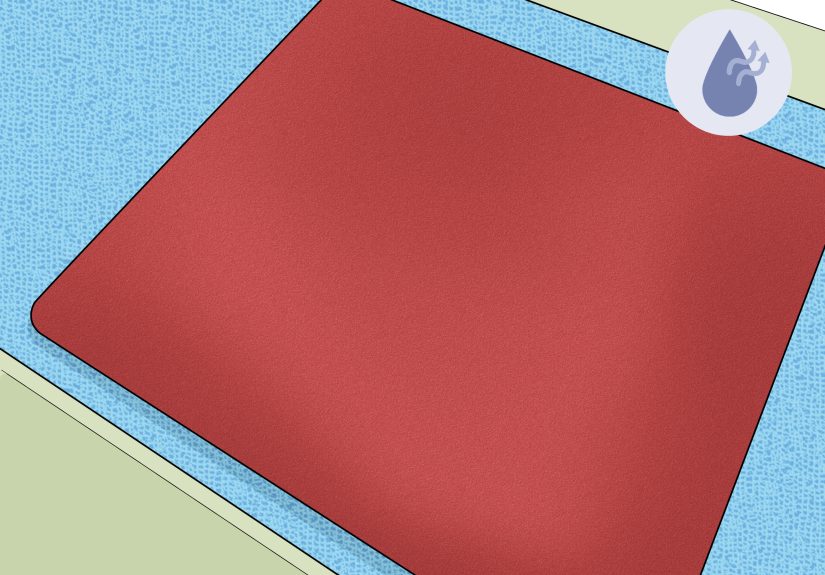
Step 11: Air-Dry Flat for at Least 24 Hours
Place the Artisan Hien flat in a well-ventilated area and let it dry completely. Do not use it while even slightly damp. Do not speed things up with high heat. Do not toss it into a dryer. Do not place it on a heater and hope for the best. Hope is not a drying method.
Give it at least 24 hours, and longer if your room is humid. Once fully dry, run your hand across the surface. It should feel cleaner, more even, and closer to the original texture. Before putting your mouse back, clean the mouse skates too. Otherwise, you are basically reintroducing dirt to a freshly cleaned surface like a villain in a sequel nobody asked for.
Mistakes to Avoid When Cleaning an Artisan Hien
Do Not Use Harsh Chemicals
Bleach, ammonia-heavy cleaners, strong solvents, or aggressive disinfectants are not good ideas for a premium cloth gaming mouse pad. Even if they clean aggressively, they are not worth the risk to the surface feel.
Do Not Use Rough Scrubbers
Abrasive scrub pads, stiff brushes, or anything scratchy can wear down the texture you are trying to preserve. Soft microfiber beats brute force every time.
Do Not Overdo the Soap
Too much soap creates extra rinsing and makes residue more likely. The result can be a pad that looks clean but feels weird, which is the kind of disappointment gamers remember.
Do Not Use High Heat
Hair dryers on hot settings, direct heat sources, and intense sun exposure can do more harm than good. Air-drying flat is slower, but it is safer.
Do Not Treat It Like a Machine-Wash Experiment
Some cloth mousepads are marketed as machine washable. That does not automatically mean your Artisan Hien should go for a spin cycle adventure. If preserving glide and texture is the priority, careful hand-cleaning is the safer bet.
How Often Should You Clean an Artisan Hien?
That depends on how you use it. If you game every day, eat near your desk, have pets, or live somewhere humid, a light surface clean every couple of weeks is smart. A deeper clean every one to three months is reasonable for heavier use. If you are the rare desk owner who washes hands, avoids desk snacks, and somehow sheds zero dust like a mythical hardware monk, you may stretch it a bit longer.
The best sign that your Hien needs cleaning is not the calendar. It is the feel. If the center starts feeling slower than the edges, the glide gets inconsistent, or the surface looks darker where your hand sits, it is cleaning time.
Does Cleaning Restore the Original Glide?
Sometimes yes, but with a useful caveat. Cleaning removes grime, oil, and residue, so it often restores consistency and improves glide noticeably. However, cleaning does not reverse natural wear. If your pad has months or years of heavy use, some change in feel may be permanent. A clean worn pad will feel better than a dirty worn pad, but it may not feel factory-fresh.
That is not failure. That is just physics doing its thing while your mousepad quietly ages like a hardworking athlete.
Quick FAQ
Can I use alcohol on an Artisan Hien?
It is better to avoid alcohol on the cloth surface unless you are dealing with a very specific spot and you have tested carefully. For routine cleaning, mild soap and water are the safer play.
Can I use a toothbrush?
Only if it is extremely soft and only if you use it lightly. Your fingers or a microfiber cloth are usually safer for the main surface.
Can I put the Hien back on my desk before it is fully dry?
No. A slightly damp mousepad can feel wrong, trap fresh dirt, and potentially affect the base. Wait until it is fully dry all the way through.
Should I clean my mouse too?
Absolutely. A clean mousepad plus dirty mouse skates is like mopping the floor and then walking across it in muddy shoes. Clean both for the best glide.
Experiences People Commonly Have When Cleaning an Artisan Hien
One of the most common experiences people report after cleaning an Artisan Hien is surprise. Not because the cleaning is difficult, but because the difference can be more noticeable than expected. A pad that felt “fine” before cleaning can suddenly feel smoother, more even, and more predictable once the layer of hand oils and dust is gone. It is the kind of before-and-after moment that makes you wonder whether the pad got dirty slowly enough that you simply adapted to it without noticing.
Another very normal experience is realizing that the dirtiest part of the Hien is not always the part that looks the dirtiest. Visually, the mousepad may seem acceptable, especially if you own the black version. But once you start wiping the center tracking area, the cloth or water tells the truth immediately. That is often where people discover just how much invisible grime built up over time. It is humbling. Your mousepad was not judging you, but it probably had the right to.
Many users also notice that a freshly cleaned Hien does not necessarily feel “faster” in a dramatic way. Instead, it feels more consistent. That is an important distinction. The left side, center, and right side begin to feel closer to one another again. Small aiming adjustments may feel cleaner. The mouse feet can sound a little different too, often with less drag or less muddy feedback. If you are sensitive to surface feel, that consistency is the real reward.
Drying time is another experience people underestimate. The top may feel dry long before the inner layers are fully ready. This leads to the classic mistake: putting the pad back on the desk too early, testing a few flicks, and then realizing it still feels a little off. Patience matters here. Waiting the full drying period is boring, yes, but it usually separates a satisfying clean from a frustrating almost-clean.
There is also the “I should have cleaned my mouse too” moment. A freshly cleaned Hien can quickly collect grime again if the mouse skates or shell are dirty. People often clean the pad, put the mouse back, and then wonder why the improvement is not lasting. Once the mouse feet are wiped and the whole setup is clean, the result feels much more complete.
Finally, there is the experience of learning that cleaning helps, but it does not perform miracles on wear. If the Hien has been used heavily for a long time, cleaning will usually improve it, but not turn it into a brand-new pad. That is actually a helpful lesson. Good maintenance extends performance, preserves feel, and keeps the mousepad enjoyable longer. It does not rewind time, but it absolutely helps you get the best out of what you already own.
Final Thoughts
Cleaning an Artisan Hien properly is less about making it look pretty and more about protecting what makes it special. This is a textured, performance-focused gaming mouse pad, and the best cleaning method is the one that removes grime without beating up the surface. Use mild soap, lukewarm water, soft materials, gentle pressure, and plenty of drying time. That formula is not flashy, but it works.
If you follow these 11 steps, your Artisan Hien should come back cleaner, more consistent, and much nicer to use. And if nothing else, your mouse will finally stop skating over a surface seasoned with equal parts dust, sweat, and snack history. That alone is a win.