Table of Contents >> Show >> Hide
- Quick Glossary (So We’re Speaking the Same Forum Language)
- The 2-Minute Pre-Post Checklist
- How to Post a Thread on a Forum in 13 Steps
- Step 1: Log in (and verify your account if needed)
- Step 2: Choose the right category (a.k.a. put your tent in the correct campsite)
- Step 3: Click the “New Thread,” “Create Topic,” or “Start Discussion” button
- Step 4: Write a title that actually earns clicks
- Step 5: Open strong with context (what, where, and why)
- Step 6: Add the details people need to help you
- Step 7: Show what you already tried (so you don’t get “Have you tried turning it off?”)
- Step 8: If it’s a technical issue, include a minimal reproducible example
- Step 9: Format your post for humans (future-you counts as a human)
- Step 10: Add tags, prefixes, or labels (if the forum uses them)
- Step 11: Preview, proofread, and check the vibe
- Step 12: Post your threadand set notifications
- Step 13: Follow up like a forum MVP
- What a Strong Thread Looks Like (Example You Can Copy)
- Common Mistakes That Tank Threads (And How to Avoid Them)
- Conclusion
- Real-World Experiences: What Actually Gets Replies (About )
Posting a thread on a forum is basically starting a campfire in the middle of a digital campground. Do it well and people gather around with stories, solutions, and snacks you didn’t ask for (but absolutely deserve). Do it poorly and… your campfire is a single match in a hurricane.
This guide walks you through how to post a thread on a forum the smart wayso your question gets answered, your announcement gets seen, and your “Is it just me?” turns into “Oh wow, same.” We’ll cover the practical click-path most forums share, plus the strategy that separates “helpful thread” from “mysterious post no one touches.”
Quick Glossary (So We’re Speaking the Same Forum Language)
- Thread: The original post plus all replies. Also called a topic on many platforms.
- Category / Subforum: The section where your thread lives (like “Tech Support” or “Introduce Yourself”).
- Tags: Extra labels that help people find your thread (like “wifi,” “beginner,” or “2026-model”).
- Sticky: A thread pinned to the top by moderators. Not magic, but close.
- OP: Original Poster. That’s you, brave campfire-builder.
The 2-Minute Pre-Post Checklist
Before you click anything shiny, do these quick checks. They dramatically increase your odds of getting a real response from a real human who actually knows what they’re talking about.
- Search first: Your question might already be answered (and some communities get grumpy about repeats).
- Read the rules: Most forums have community guidelines, posting rules, and “don’t do this” lists for a reason.
- Know your goal: Are you asking a question, reporting a bug, starting a discussion, or sharing a guide?
How to Post a Thread on a Forum in 13 Steps
Step 1: Log in (and verify your account if needed)
Many forums let you read without an account, but you’ll typically need to log in to create a thread. Some communities require email verification, a minimum account age, or a first “intro” post before you can start a new thread. If you can’t find the “New Thread” or “Create Topic” button, permissions are often the reason.
Step 2: Choose the right category (a.k.a. put your tent in the correct campsite)
Forums are organized for a reason. Posting in the right category helps the right people see your threadand helps moderators avoid moving it to a different neighborhood at 3 a.m. like digital garbage collectors.
If your topic fits multiple categories, pick the best match and acknowledge the overlap in your post. Example: “This is mostly a setup question, but it also touches on performance.”
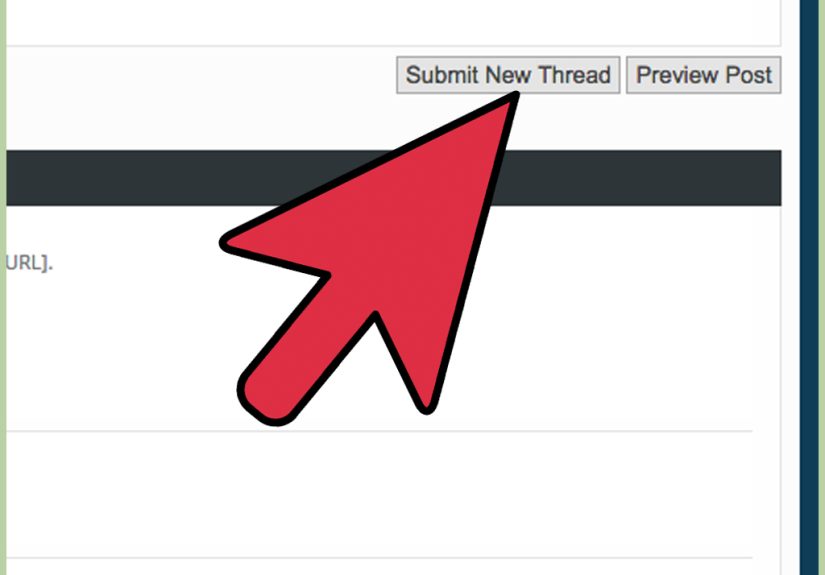
Step 3: Click the “New Thread,” “Create Topic,” or “Start Discussion” button
Most forums make this obvious once you’re inside a category: look for buttons like New Thread, Post Thread, New Topic, or a big plus sign. On some platforms, it’s near the top; on others, it hides at the bottom like it’s playing an elaborate game of “find me.”
Step 4: Write a title that actually earns clicks
Your thread title is the front door. If it’s labeled “Stuff,” people will walk past. A good title is specific, searchable, and tells readers what they’re about to help with.
- Weak: “Help please!!!”
- Better: “Can’t post images on mobile‘upload failed’ error”
- Best: “iPhone Safari: forum image upload fails at 90% (error code 403)”
Use your main terms naturally. This helps with forum search and often helps with Google/Bing visibility tooespecially on platforms that generate page metadata from the title and first post content.
Step 5: Open strong with context (what, where, and why)
In the first 2–3 sentences, tell readers:
- What you’re trying to do
- What happened instead
- Where (device/app/version, relevant setup, or forum section)
This prevents the classic reply loop: “Need more info.” “Okay what info?” “All of it.” “I sent vibes.”
Step 6: Add the details people need to help you
The best forum posts are easy to diagnose. Include relevant specifics:
- Steps you took (in order)
- Error messages (exact text, not “it yelled at me”)
- Screenshots only if they clarify (and don’t include private info)
- Device/OS/browser/app versions when relevant
- What you expected to happen vs. what happened
Step 7: Show what you already tried (so you don’t get “Have you tried turning it off?”)
People are more willing to help when you’ve made an effort. List your attempts briefly: “Cleared cache, tried another browser, disabled extensions, same result.”
This also prevents duplicate suggestions and makes your thread feel like a real problem-solving effortnot a “someone please do my homework” situation (even if your homework is emotionally surviving your printer).
Step 8: If it’s a technical issue, include a minimal reproducible example
If you’re posting in a tech forum, a minimal reproducible example (sometimes called minimal/complete/verifiable) can be the difference between “No idea” and “Fixed in 3 minutes.”
- Minimal: Only what’s necessary to show the problem.
- Complete: Includes all parts needed to run/understand.
- Reproducible: Someone else can follow it and see the issue.
Even outside coding, the same idea applies: provide the smallest set of steps someone can follow to see what you’re seeing.
Step 9: Format your post for humans (future-you counts as a human)
Big text blobs are where good questions go to die. Use:
- Short paragraphs
- Bullet points for lists
- Headings if the forum editor allows
- Code blocks for code (not screenshots of code)
- Quotes sparingly and clearly
Aim for “skimmable.” Helpers are often reading on phones, between meetings, or while pretending to watch TV.
Step 10: Add tags, prefixes, or labels (if the forum uses them)
Tags help your thread show up in searches and related-topic lists. If the forum offers “Solved,” “Bug,” “Question,” or category-specific prefixes, use them. It’s like putting a label on a box before you store it in the attic.
Step 11: Preview, proofread, and check the vibe
Preview your thread if the platform offers it. Look for:
- Typos that change meaning (“public” vs. “pubic”please, no)
- Broken formatting
- Missing key details
- Accidentally spicy tone (caps lock reads like yelling)
Forums run on volunteer energy. A polite tone and clear writing are basically social lubricantbut, you know, in a wholesome internet way.
Step 12: Post your threadand set notifications
Click Post, Create Thread, or Publish. Then make sure you’ll actually see replies. Many forums let you “watch,” “subscribe,” or enable notifications for your thread.
If you disappear for three days after asking for help, the internet will assume you were abducted by raccoons or solved it and forgot to tell anyone.
Step 13: Follow up like a forum MVP
This step is where you go from “person who posted” to “beloved community member.”
- Answer clarifying questions quickly and with details.
- Mark a solution if the forum supports it (helps future readers).
- Share the final fix in your own words.
- Say thanks (gratitude is free, unlike your time).
What a Strong Thread Looks Like (Example You Can Copy)
Title: “Can’t start a new thread on mobilebutton missing in Support category”
Body:
- Goal: Start a new thread in the Support category.
- What happens: I don’t see the “New Thread” button on iPhone (Safari).
- Where/when: iPhone 14, iOS 17.3, Safari; works on my Windows laptop (Chrome).
- Tried: Logged out/in, cleared cache, disabled content blockers, rotated screen.
- Question: Is this a permissions setting, or a mobile UI issue? If permissions, what requirement do I need to meet?
Common Mistakes That Tank Threads (And How to Avoid Them)
- Vague titles: Replace “Help!!!” with “What’s broken + where + key symptom.”
- No details: Give steps, settings, versions, and errors.
- Cross-posting everywhere: Don’t shotgun the same thread into five categories. Pick one, or ask a mod where it belongs.
- Hijacking someone else’s thread: If your issue is similar but not identical, start your own thread and link the related one.
- Rage-posting: Venting is human. Posting “THIS FORUM IS TRASH” is a shortcut to getting ignored.
Conclusion
Learning how to post a thread on a forum isn’t just about clicking “New Thread.” It’s about making your post easy to understand, easy to search, and easy to answer. Choose the right category, write a specific title, provide helpful details, follow community guidelines, andmost importantlyfollow up when people respond.
Do that consistently and you’ll get better replies, faster solutions, and a reputation as someone worth helping. Also, you might accidentally become the person who answers other people’s questions, which is how forums quietly turn you into a wizard.
Real-World Experiences: What Actually Gets Replies (About )
In thriving communities, the threads that get the best responses tend to share a few patterns. Not “secret hacks,” just human behavior: people help when they can quickly understand the problem and feel like their effort won’t be wasted.
One common scenario: someone posts “Broken. Please help.” The community replies with questionsdevice? version? error? steps? and the OP answers one question every 12 hours, like a suspense novel written by a sleepy turtle. By the time the details arrive, the experts have moved on. A small change fixes this: write the thread like you’re trying to help the future helper time-travel into your situation. If you provide the environment, the exact message, and what you tried, you often get a useful reply in the first wave of responses.
Another pattern: the “title miracle.” People underestimate how much a title controls who clicks. A clear title attracts the right specialists. A fuzzy title attracts… nobody, or the wrong crowd. Think of it like putting up a roadside sign. “Food” is not as effective as “Tacos: Open Late, Vegetarian Options.” If your thread is about a login error, say so. If it’s about choosing the right category, say so. You’re not being dramaticyou’re being searchable.
Tone matters more than most posters expect. Forums are text-only, and text is famously bad at carrying your intended friendliness. “This is ridiculous” might be aimed at the bug, but it can sound like it’s aimed at the volunteers. The threads that do well usually sound like: calm, curious, specific. Even when the situation is annoying. A simple “I might be missing somethingcan someone point me to the right setting?” invites help. “Your site is broken” invites… silence, or a moderator with a broom.
Formatting is the unsung hero. A neatly structured post signals effort and respect for readers’ time. People are more likely to answer a post they can skim. The “best-in-class” threads often use a mini-template: Goal → What happened → Steps → Environment → What I tried → Question. It’s not formal; it just keeps your brain from forgetting crucial details while you type.
Finally, follow-up is where communities remember you. When an OP returns to say “Solvedhere’s what fixed it,” that post becomes a breadcrumb for every future person searching the same issue at 2 a.m. Those threads get bookmarked, linked, and sometimes even pinned. If you want to build goodwill fast, be the person who closes the loop. It’s the internet equivalent of returning the shopping cart: small act, big “we live in a society” energy.