Table of Contents >> Show >> Hide
- What “unlocking” actually means
- Can you unlock a Straight Talk Android phone?
- Who is most likely to be eligible?
- How to tell if your Straight Talk Android phone is already unlocked
- What you need before you start the unlock process
- How to unlock a Straight Talk Android phone step by step
- What to do if the phone still will not unlock
- Why third-party unlock websites are usually a bad idea
- What changes after your phone is unlocked?
- Real-world experiences and lessons people commonly run into
- Final thoughts
If you have ever tried to switch carriers with a Straight Talk Android phone, you already know the process can feel like a scavenger hunt designed by a committee that really loves fine print. One page says “unlock,” another says “Device Unlock app,” another mentions eligibility, and suddenly you are staring at your phone like it personally betrayed you.
The good news is that unlocking a Straight Talk Android phone is usually much simpler than it sounds once you know what kind of “unlock” you are dealing with, whether your phone is eligible, and which official path actually applies to your device. This guide breaks it all down in plain English, with no tech gobbledygook, no shady shortcuts, and no magical “secret code” nonsense from random corners of the internet.
If your goal is to use your Straight Talk Android phone with another compatible carrier, sell it more easily, travel with a different SIM, or just stop feeling trapped by your current setup, this guide will walk you through the process step by step.
What “unlocking” actually means
Before we go any further, let’s clear up one of the biggest points of confusion: a carrier unlock is not the same thing as unlocking your screen.
When people talk about unlocking a Straight Talk Android phone, they usually mean carrier unlocking or network unlocking. That means removing the software restriction that ties the phone to a specific wireless provider. Once that restriction is removed, the phone can potentially work with another compatible carrier.
That is very different from:
- Screen unlock: the PIN, pattern, password, or fingerprint you use to open your phone.
- SIM PIN or PUK issue: a security lock tied to the SIM card itself.
- Bootloader or OEM unlocking: a developer-level setting that has nothing to do with switching carriers and can create warranty or software headaches if you do it carelessly.
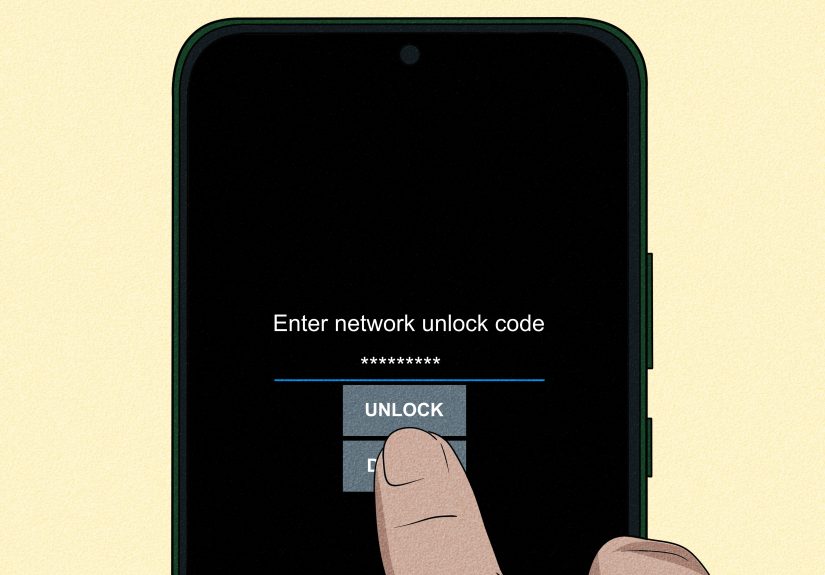
In other words, if your phone asks for your screen passcode, you are not dealing with carrier unlocking. If it says your SIM is not supported, asks for a network unlock code, or refuses to activate on another carrier, that is the kind of lock this article is about.
Can you unlock a Straight Talk Android phone?
Usually, yes. But there is one giant asterisk, and it is shaped like an eligibility policy.
Straight Talk phones are sold under a prepaid model, and unlocking is tied to rules about activation, time on service, account status, and whether the phone has been flagged as lost, stolen, or associated with fraud. That means you cannot simply decide on a random Tuesday that your phone is “emotionally unlocked” and expect the software to agree.
Here is the big update many older blog posts miss: current policy language for Straight Talk-family prepaid brands points to a newer standard for phones activated on or after January 20, 2026. In practical terms, that means many newer activations are tied to 365 days of paid and active service before unlocking eligibility, replacing the older 60-day guidance that used to circulate widely.
That matters because plenty of outdated articles still say Straight Talk phones unlock after 60 days. Some older devices and older activations may indeed fall under earlier rules, but for a brand-new reader searching today, the safer assumption is this: check the current Straight Talk or TFW policy for your exact device and activation date before assuming you qualify.
Who is most likely to be eligible?
In general, you have the best chance of successfully unlocking your Straight Talk Android phone if all of the following are true:
- The phone was activated properly on Straight Talk.
- You have met the required service period for your activation date.
- Your service has been paid and active for the required timeframe.
- The phone has not been reported lost or stolen.
- The account does not show signs of fraud.
- The device is technically capable of being unlocked.
That last point is more important than many people realize. In some cases, a phone may be restricted by branding or software limitations that keep it from being unlocked the way a standard carrier model can be. Paying full retail price does not always override those technical limits.
How to tell if your Straight Talk Android phone is already unlocked
Before you start a full unlock process, check whether the phone is already unlocked. You may save yourself a lot of time, stress, and dramatically unnecessary sighing.
Method 1: Try another carrier’s SIM card
This is the fastest real-world test. Power off the phone, insert a SIM card from another compatible carrier, then restart the device.
If the phone connects to the new carrier and lets you place calls or use data after setup, it is probably already unlocked. If it throws an error such as “SIM not supported,” “Network locked,” or asks for an unlock code, the carrier lock is still in place.
Method 2: Check the lock status in Android settings
Some Android phones let you view carrier or network lock status in settings or service menus. The path varies by model, but common places include:
- Settings > About Phone > SIM Status
- Settings > Connections > More Connection Settings > Network Unlock
- A preinstalled Device Unlock app on older models
If you see “unlocked,” “no SIM restrictions,” or a similar message, you are in good shape. If you do not see anything useful, do not panic. Some models hide the information or label it differently.
What you need before you start the unlock process
A smooth unlock usually comes down to preparation. Gather these items first:
- Your IMEI number: dial *#06# or find it in Settings > About Phone.
- Your activation date: especially important now that older and newer activations may follow different timelines.
- Your Straight Talk account details: phone number, email, and any account credentials.
- A Wi-Fi connection: many device-based unlock tools need internet access.
- A charged battery: because nothing says “fun” like an unlock attempt dying at 3 percent.
- A backup of important data: you probably will not need to reset the phone, but it is always wise to be prepared.
How to unlock a Straight Talk Android phone step by step
Step 1: Confirm your eligibility
Start with the official Straight Talk or TFW unlock policy resources. Do not rely on a random forum comment from someone whose cousin’s friend unlocked a phone “back in like 2024.” The key details are your activation date, your service history, and your device status.
If your phone was activated recently, pay close attention to the 2026 policy change. If it was activated much earlier, older terms may apply. This is why the activation date matters so much.
Step 2: Identify the unlock method your phone uses
Straight Talk support materials suggest that newer Android phones often use a built-in path like:
Settings > Connections > More Connection Settings > Network Unlock
Older Android phones may instead rely on a preinstalled Device Unlock app.
This is one of the most overlooked parts of the process. People often keep hunting for a code when their phone already has the proper unlock tool built in. Your phone may not need a code at all. It may simply need eligibility approval plus an on-device confirmation.
Step 3: Follow the official unlock instructions
Once eligible, follow the instructions provided by Straight Talk or the policy page tied to your device. Depending on the phone and the policy path, this may involve:
- Receiving unlock instructions by email
- Using the built-in Network Unlock menu
- Launching the Device Unlock app
- Submitting or confirming an unlock request
Some Straight Talk support materials note that unlocking requests can take up to two business days, depending on device type and qualifications. So if the phone does not magically transform in five minutes, that does not automatically mean something is wrong.
Step 4: Restart the phone
After the unlock is approved or completed, restart the device. This helps the phone refresh its network status and can clear stale carrier settings. It is the technology equivalent of telling your phone to take a lap and come back with a better attitude.
Step 5: Test with a different SIM or eSIM
Insert a SIM from the new compatible carrier or activate the new carrier’s eSIM, if supported. If the unlock worked, the phone should let you proceed with activation.
If calling or data still does not work right away, that does not always mean the phone is still locked. Sometimes the new carrier needs proper APN settings, eSIM provisioning, or a quick network refresh.
What to do if the phone still will not unlock
If the process fails, walk through these common reasons before assuming the universe is out to get you.
You are not eligible yet
This is the most common problem. If your phone has not met the required paid active service period, the unlock will not go through.
You are using the wrong kind of unlock
A screen PIN, SIM PIN, PUK, and carrier unlock are all different things. Make sure you are solving the right problem.
The phone is from another original carrier
Some devices run through carrier-specific procedures. For example, AT&T and T-Mobile both have their own unlock methods, and some older Android devices use device-based unlock apps. In general, only the original carrier can authorize the network unlock.
The phone is blocked for fraud, loss, or theft
If the device has been reported lost or stolen, or if the account shows fraud concerns, unlocking may be denied even if the service period looks complete.
The phone is unlocked, but not fully compatible
This one fools a lot of people. An unlocked Android phone is not automatically compatible with every network feature. Voice, 5G, Wi-Fi calling, or eSIM support can vary by model and carrier. Unlocking opens the door, but it does not redecorate the whole house.
Why third-party unlock websites are usually a bad idea
If you search this topic online, you will quickly run into websites promising “instant Straight Talk unlock codes” for a fee. That sounds convenient right up until it becomes expensive, ineffective, or sketchy.
Here is the safer rule: if the original carrier controls the lock, the original carrier should control the unlock. Official carrier tools and support channels are usually the cleanest path. Third-party sites may offer codes that do not work, encourage risky software changes, or create new headaches you did not sign up for.
That is especially true if a site starts talking about flashing firmware, rooting, or bootloader unlocking as a solution. That is not the same as a standard network unlock and can create bigger problems than the one you started with.
What changes after your phone is unlocked?
Once your Straight Talk Android phone is successfully unlocked, you generally gain more flexibility:
- You can try another compatible carrier.
- You may be able to use local SIMs when traveling.
- The phone is usually easier to resell.
- You are no longer tied to Straight Talk for network access on that device.
But keep realistic expectations. Unlocking does not guarantee full support for every band, every feature, or every carrier-specific service. A phone can be unlocked and still be a bad match for a particular network.
Real-world experiences and lessons people commonly run into
The scenarios below are composite examples based on common support patterns and real-world user situations, not individual testimonials.
One of the most common experiences is the “I read 60 days somewhere, so I thought I was done” situation. A person buys a Straight Talk Android phone, keeps service for a couple of months, and expects the phone to unlock automatically because an older article said that was the rule. Then nothing happens. The mistake is not stupidity. It is outdated information. Recent changes mean activation date matters a lot more than it used to, so a phone activated under a newer policy may need much longer paid active service before it qualifies.
Another very common experience happens with used phones. Someone buys a “Straight Talk Android, ready for any carrier” listing from a marketplace, pops in a new SIM, and gets a rude surprise when the phone says the network is locked. This usually happens because the seller confused “paid off” with “unlocked,” or because the phone had not actually met the service requirements. The lesson here is simple: before buying a used Straight Talk phone, ask the seller to confirm unlock status with proof, not vibes.
Then there is the “it unlocked, but my data still does not work” scenario. This one sends people into a spiral because they assume the unlock failed. In reality, the carrier lock may already be gone. The new issue is often setup. The new carrier may need APN settings, a profile refresh, or eSIM activation completed properly. This is especially common when moving to a different network family. The phone is technically free, but it still needs instructions for where to send calls, texts, and data. Think of it as moving into a new apartment: unlocking got you the keys, but you still have to set up the Wi-Fi.
Some people also run into confusion with the on-device tools. Newer phones may tuck the unlock function deep inside settings, while older phones use a Device Unlock app. If you do not know which system your phone uses, it can look like there is no unlock option at all. Many users assume they need a special code when their device actually wants them to connect to Wi-Fi, open the correct built-in tool, and let the phone talk to the carrier’s server.
A surprisingly frustrating experience happens when the phone is technically eligible, but the user never sees the email or instruction message. Maybe it landed in spam. Maybe the email on file was old. Maybe the sender address looked generic enough to ignore. That is why it helps to keep your Straight Talk account information current and to check both email folders and official support pages if you think you should have received next steps.
And finally, there is the “I thought unlocked meant universal” moment. A user successfully unlocks the phone, switches carriers, and then discovers one feature is missing, such as Wi-Fi calling or certain 5G support. That can feel like a bait-and-switch, but it is really a compatibility issue, not an unlocking failure. An unlocked phone has more freedom, but not infinite superpowers. Matching bands, carrier certification, and device model still matter.
The overall lesson from these experiences is reassuring: most unlock problems are not mysterious. They usually come down to one of five thingseligibility, timing, setup, compatibility, or using the wrong unlock path. Once you know which one you are dealing with, the process gets a lot less dramatic.
Final thoughts
Unlocking a Straight Talk Android phone is not impossible, but it does reward patience, accurate information, and a willingness to ignore outdated internet advice. Start by confirming what kind of lock you have, checking your eligibility based on your activation date, and using the official Straight Talk or carrier-approved method for your device.
If your phone qualifies, the process is often straightforward. If it does not, forcing the issue with sketchy shortcuts is usually a terrible bargain. The smart move is to use official tools, keep your records handy, and remember that “unlocked” and “fully compatible with every carrier on Earth” are not the same thing.
Do it the right way, and your Straight Talk Android phone can go from “network loyalist” to “free agent” without unnecessary drama.